
Smart home platforms like Alexa and Google Home connect to your water softener through companion apps and Wi-Fi, letting you control power, monitor filter conditions, and receive alerts about maintenance needs. You can use voice commands to check water temperature and pressure, while automation routines let multiple devices work together—for example, triggering alerts when filters need replacement. Setup requires linking your device account through the platform’s app, and you’ll gain access to diagnostics logs tracking salt levels and regeneration cycles. Understanding your specific softener model’s capabilities will help you maximize these features.
Key Takeaways
- Smart home platforms connect to water softeners through companion apps, enabling real-time monitoring and remote control via voice commands and mobile devices.
- Alexa and Google Home provide voice control for basic functions like powering softeners on/off and checking filter cleanliness through integrated traits and skills.
- Both platforms track diagnostics data including salt levels, regeneration cycles, and filter conditions, sending alerts when maintenance or replacement is needed.
- Multi-device automation creates complex routines that chain actions together, such as leak detection triggering valve shutdown and immediate smart speaker notifications.
- Setup requires linking softener accounts through respective app ecosystems, enabling guest access for household members to control devices from separate accounts.
Water Softener Voice Control: What’s Actually Possible

When you first consider connecting your water softener to a smart home system, you’ll probably wonder which voice commands actually work and which ones don’t. Currently, voice control for water softeners focuses on essential functions rather than all-encompassing management. You can power your softener on or off through Alexa or Google Home, and you can check filter status reports. However, voice diagnostics for detailed system performance remain limited with most models. Schedule adjustments require app access rather than voice commands, though this is gradually changing. The OnOff trait handles basic power control, while the SensorState trait reports filter cleanliness. Understanding these current capabilities helps you set realistic expectations when integrating your water softener into your smart home ecosystem.
Google Home Water Softener Control Basics

Google Home offers a straightforward path to controlling your water softener, building on the basic voice commands we’ve covered. When you link your compatible water softener to Google Home, you gain access to real-time monitoring and control through your smart speaker or mobile app. You can ask Google Assistant to check your water usage patterns, which helps you understand consumption trends and manage resources efficiently. The system also provides diagnostics logs that track your softener’s performance over time, allowing you to identify potential issues before they become problems. These detailed records let you monitor salt levels, regeneration cycles, and filter conditions. By reviewing this data regularly, you’ll maintain peak softener function and catch maintenance needs early.
Connect Your Softener to Google Home: Step-by-Step

Setting up your water softener with Google Home requires you to gather a few essential pieces of information before you begin, including your device’s model number, manufacturer name, and any account credentials associated with your softener’s companion app. Open the Google Home app and tap the plus icon to add a new device. Select your softener’s manufacturer from the available options, then sign in with your account credentials. The mobile setup process guides you through linking your softener to your Google Home ecosystem. Once connected, you can enable guest access, allowing household members to control the device through their own accounts. Test voice commands to verify proper integration and sensor functionality before relying on automated monitoring.
Recommended Products

Complete Twin tank water softener provides continuous soft water

ALL-IN-ONE WASHER + DRYER: AI Laundry Combo washes and dries clothes in one machine without transferring loads. Easy installation with a 120V standard outlet. No dryer vent exhaust system needed.

Complete Twin tank water softener provides continuous soft water. Ships Loaded
Alexa Voice Commands for Water Control

Once you’ve set up your water management device with Alexa, you can tap into a range of voice commands that give you control over your water supply and access to important monitoring information. You’ll find commands like “Turn off the water” to stop supply during emergencies, and “Turn on the water” to restore it. Additionally, you can ask “Get the water temperature” or “Get the water pressure” to check your system’s performance. Through voice routines, you can automate these commands to run on schedules, enabling water scheduling that fits your lifestyle. This feature, available primarily in the UK, combines leak protection with metrics tracking. Test your commands after linking to confirm your sensor responds correctly to voice instructions.
Connect Your Softener to Alexa: Step-by-Step

To get your water softener working with Alexa, I’ll walk you through the process that connects your device to Amazon’s smart home ecosystem. First, open the Alexa app and navigate to Devices, then tap the plus icon to add a new device. Select your water softener’s manufacturer from the available options. Next, you’ll enable the corresponding skill through Skills & Games in the Alexa app by searching your brand name and selecting Enable. Link your account when prompted, which allows Alexa to discover your softener on your home network. If you encounter issues during voice setup, check your Wi-Fi connection and make certain your device firmware is updated. For skill troubleshooting, reinstall the skill and re-authenticate your account credentials to resolve most connectivity problems.
Recommended Products
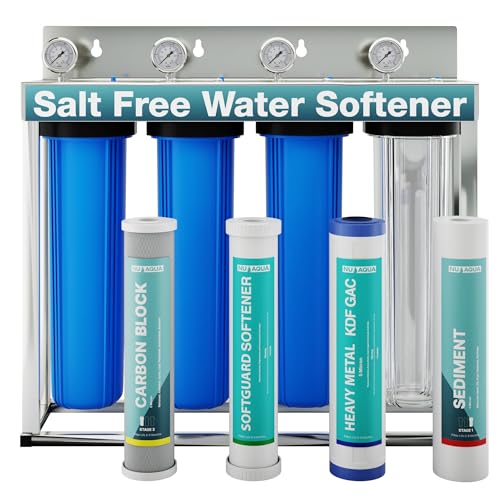
SALT FREE SOFTENING TECHNOLOGY: The NU Aqua Whole House Water Filter System utilizes advanced scale prevention media to reduce hard water buildup without using salt, protecting plumbing and appliances while preserving beneficial minerals like calcium and magnesium.

【 PERFECT FOR LARGE HOUSEHOLDS】 Ideal for 6-8 people with up to 6 bathrooms on city, municipal, and well water sources, this heavy-duty whole house water softener system delivers ultra-soft water to every tap.

Perfect for Families Large or Small: Designed for households of 1–5+ people dealing with hard water. The EcoPure EP42 treats up to 42,000 grains and removes up to 11 ppm of clear water iron, protecting your entire home from scale buildup and stains
Talk to Your Softener: Essential Voice Commands
Now that you’ve connected your water softener to Alexa, you can control and monitor it using voice commands specifically designed for water management devices. I recommend assigning softener nicknames to distinguish multiple units in your home, making commands clearer and more efficient. You can ask Alexa to check your softener’s status, retrieve filter cleanliness information, and control power functions through simple voice requests. Voice diagnostics help you troubleshoot issues without accessing the app manually. For example, asking “Alexa, what’s my water softener’s status?” provides immediate feedback on operation. Using consistent softener nicknames like “Kitchen Softener” or “Basement Unit” guarantees Alexa recognizes your commands accurately, streamlining your smart home water management experience.
Monitor Filter Cleanliness and Get Alerts in Real Time
Through real-time monitoring capabilities, your smart home system can track your water softener’s filter condition continuously, alerting you before problems develop. When you integrate your softener with Google Home or Alexa, you’ll receive filter alerts about cleanliness states—clean, dirty, or needs replacement. This real time monitoring means you won’t miss critical maintenance moments. Your smart speaker notifies you immediately when the filter requires attention, preventing water quality issues. You can check filter status through voice commands like “What’s my water softener’s status?” Both platforms track sensor data automatically, eliminating manual checks. This proactive approach saves time, extends equipment life, and guarantees peak water softening performance throughout your home without requiring constant oversight.
Recommended Products

💧 Perfectly designed for 1-2 bathrooms homes, the Aquasure Signature Series is the professional grade Whole House Water system that delivers high quality filtered, ultra-softened water to every outlet throughout your entire home. No need for manual regeneration, backwash, draining, this system automatically regenerates and backwash, making it cost efficient and easy to maintain.

💧【 PERFECT FOR 4-6 BATHROOMS 】This is the professional grade Whole House Water system that delivers high quality filtered, ultra-softened water to every outlet throughout your entire home. Rated to treat 64,000 grains of hardness by softening water, removing hard minerals, and rejecting water contaminants.

3-IN-1 TREATMENT SYSTEM – Combines ion exchange softening, catalytic carbon filtration, and sediment pre-stage to address hardness, chloramines, and particulates, supporting consistent performance across fixtures, appliances, and daily residential use
Create Multi-Device Automation Routines
Beyond monitoring individual devices, you can program your smart home system to coordinate multiple water management devices simultaneously, triggering actions across your entire setup when specific conditions occur. I recommend using smart scheduling to automate routine tasks like filter checks at set times each week. Scene chaining lets you link sequential actions together—for example, when your water sensor detects a leak, it can automatically shut off the main valve, send you a notification, and activate an alert sound through your speaker. With SmartThings routines, you can sync leak sensors to virtual contacts that trigger Alexa responses. This coordinated approach creates a thorough safety net, protecting your home from water damage while reducing the manual work required to maintain your system.
Recommended Products

GROHE Sense: measures the temperature and humidity of a room

Accurate Detection: VEVOR pipe water leak detector features 1Hz–10000Hz wide frequency range and up to 16.4FT (5m) underground detection depth, effectively filtering out interference signals and accurately capturing the vibration frequencies caused by water leakage

NSF CERTIFIED COMPONENTS – Potable-water safe kit with pulse-output water meter and motorized shutoff valve in your selected size (0.5", 0.75", 1", 1.5", or 2").
Fix Wi-Fi Pairing, Account Linking, and Discovery Problems
When you’re setting up water sensors and smart home devices, connection problems can prevent your system from working as intended, so I’ll walk you through the most common issues and how to fix them. Start with Wi‑Fi troubleshooting by ensuring your sensor’s within range of your router and that you’re connecting to the correct network frequency. If discovery fails after pairing, try restarting both your device and router. For Account relinking issues, uninstall the skill or app, then reinstall it and sign in again with your correct credentials. Verify your manufacturer account has active permissions for smart home access. Test commands after completing these steps to confirm your sensor responds properly to voice requests and status checks.
Recommended Products

[Simple Operation] The PQ125B water leak detectors for home utilizes a factory-developed UI interaction system. Its touchscreen displays each functional module clearly with operational guidance and error pop-ups, enabling even inexperienced users to easily detect leak points. For professional leak detection personnel, it proves an invaluable asset.
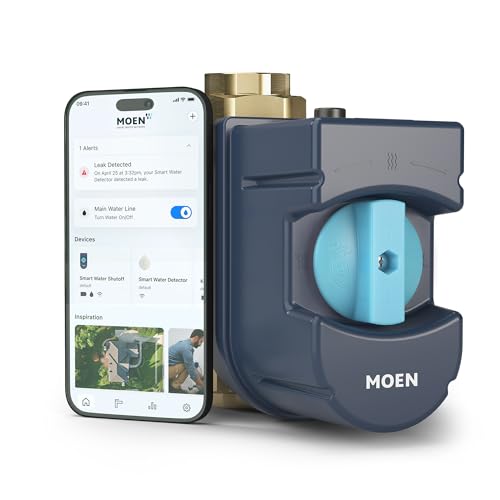
AUTOMATIC SHUTOFF: Learns your home’s water usage patterns to identify abnormalities like running water or small leaks and will automatically turn off water to prevent damage
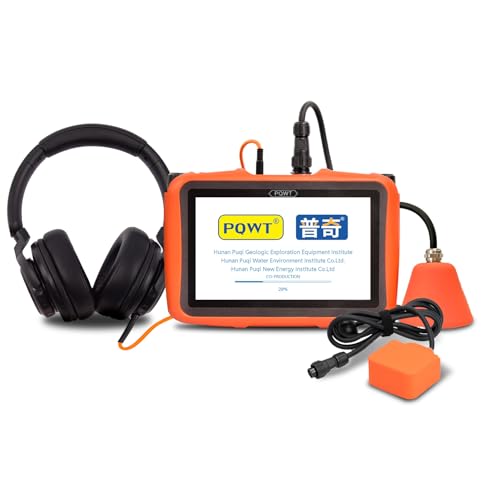
L50 - Detection depth 0.5m, 10cm precise targeting, suitable for indoor floors, walls, under cabinets, and other narrow spaces.
Frequently Asked Questions
Can I Control My Water Softener Remotely When Away From Home?
Yes, I can control my water softener remotely through smart home integration. Both Alexa and Google Home enable remote monitoring and scheduled adjustments, letting me manage my softener’s performance from anywhere using voice commands or mobile apps.
What Happens to My Softener if My Wi-Fi Connection Drops Unexpectedly?
If your Wi-Fi drops, I’d say your softener continues operating on its backup schedule using local control. You won’t access remote features, but your system keeps functioning normally until connectivity restores.
Are Water Softener Controls Available in All Countries or Regions Globally?
You might assume water softener controls work everywhere, but they don’t. Regional availability varies due to regulatory restrictions—some countries limit smart home water management features for safety or environmental reasons.
Can Multiple Family Members Access and Control the Same Softener Device?
Yes, I can set up multiple profiles with shared permissions so your family members access and control the same softener device. Most smart home platforms let you invite household members through their apps, granting them full or limited control capabilities.
How Do I Troubleshoot if My Softener Stops Responding to Voice Commands?
I’d first check your Wi-Fi connection and restart the softener. Then I’d try firmware updates through your device app and perform a factory reset if needed. Finally, I’d re-link the device to your platform.